| assets | ||
| data | ||
| schemas | ||
| .gitignore | ||
| .python-version | ||
| evaluate.py | ||
| evaluation_results.json | ||
| explainability.json | ||
| explainability.py | ||
| pyproject.toml | ||
| README.md | ||
| SETUP.md | ||
| uv.lock | ||
| vertex.py | ||

Report for Software Engineering for AI-Enabled System
- Report for Software Engineering for AI-Enabled System
Section 1: ML Model Implementation
Task 1.1: ML Canvas Design
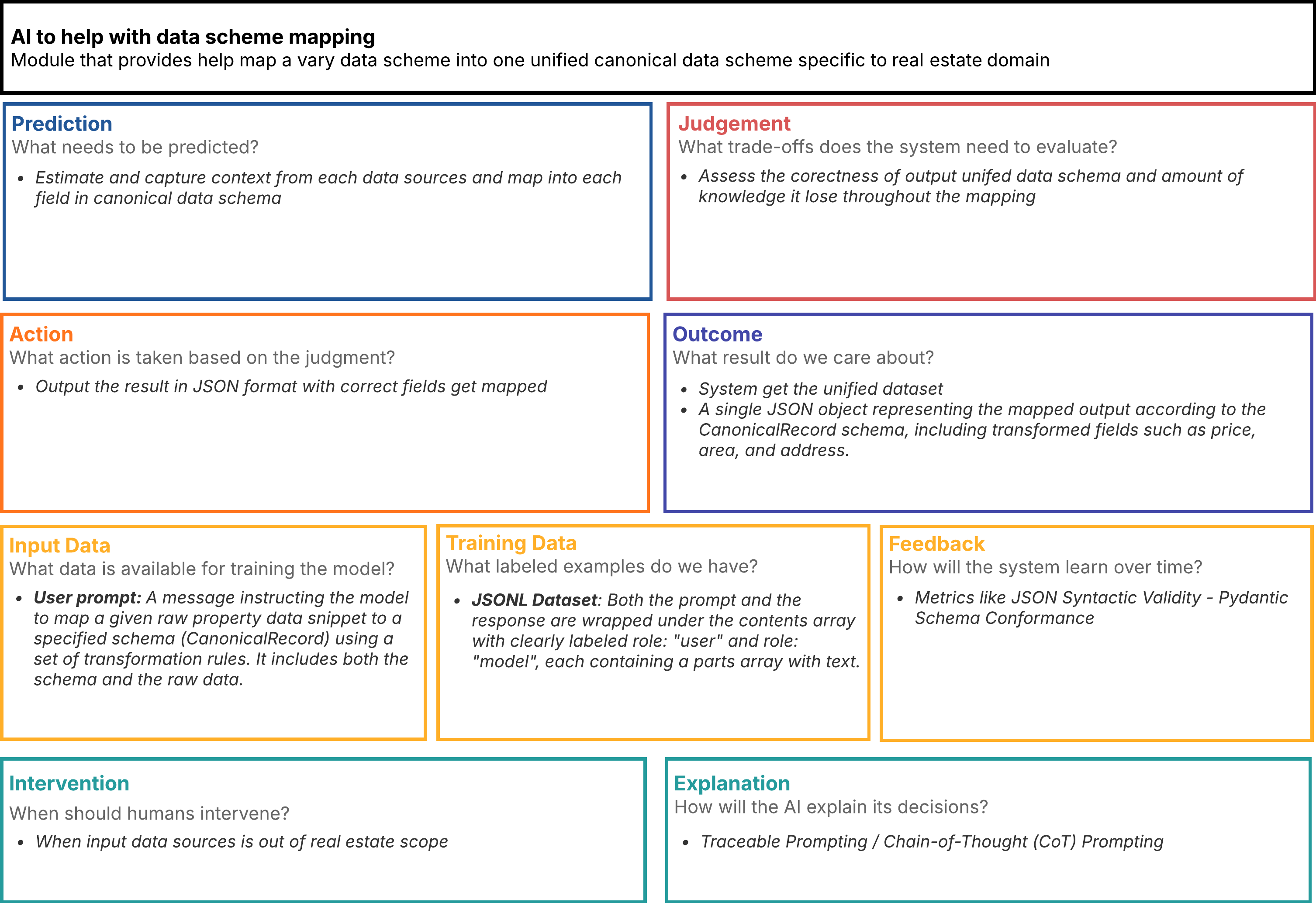
The AI Canvas comprises eight interconnected sections that collectively define the system's purpose and operation. The Prediction section establishes the core functionality: estimating and capturing context from each data source and mapping it into each field in the canonical data schema. This works in concert with the Judgment section, which articulates the critical trade-offs the system must evaluate, focusing on assessing the correctness of the output unified data schema and measuring the amount of knowledge potentially lost throughout the mapping process.
The Action section defines how the system's outputs are translated into tangible steps, outputting the results in JSON format with correctly mapped fields. These actions lead to the Outcome section, which clarifies the ultimate value proposition: generating a unified dataset represented as a single JSON object conforming to the CanonicalRecord schema, including transformed fields such as price, area, and address.
The Input Data section catalogues the available information sources: user prompts containing instructions for mapping raw property data snippets to a specified schema (CanonicalRecord) using transformation rules, including both the schema specifications and the raw data itself. Complementing this, the Training Data section defines the labeled examples powering the model: JSONL datasets where both prompts and responses are wrapped in contents arrays with clearly labeled roles ("user" and "model"), each containing parts arrays with text.
The Feedback section outlines how the model will learn over time by tracking metrics like JSON Syntactic Validity and Pydantic Schema Conformance. The Intervention section establishes boundaries for human oversight, calling for expert involvement when input data sources fall outside the real estate scope. The Explanation section details the technical approaches for transparency: Traceable Prompting and Chain-of-Thought (CoT) Prompting methodologies to provide insight into the system's decision-making processes.
Task 1.2: Model Training Implementation
I did not train the LLM model by myself but instead, I do fine-tuning on gemini-2.0-flash-lite-001 in vertex AI platform with supervised learning approach.
Input data
Here is example of training data I use to fine-tune the model:
{"contents":[{"role":"user","parts":[{"text":"You are a data mapping assistant. Your task is to map the provided 'Raw Property Data Snippet' to the 'CanonicalRecord Schema Definition'. \n\nRULES:\n- Your entire response must be ONLY the mapped JSON object string, conforming strictly to the CanonicalRecord schema.\n- Do NOT include any explan...line\": \"2024-02-10T00:00:00Z\"}"}]},{"role":"model","parts":[{"text":"{\"canonical_record_id\": \"cre-GENERATED-UUID\", \"original_source_identifier\": \"https://www.baania.com/some-property-link-v2\", \"original_source_type\": \"scrape\", \"entity_type\": \"RealEstateListing\", \"mapping_model_version\": null, \"mapping_timestamp\": \"2024-02-10T00:00:00Z\", \"address\": {\"street_address\": \"Sukhumvit Soi 31\", \"city\": \"Ban...., Wattana. Excellent amenities including pool, gym, and 24-hour security. Built 2018.\", \"images\": [\"https://cdn.baania.com/img/condo/A1.jpg\", \"https://cdn.baania.com/img/condo/A2.jpg\"], \"contact\": {\"agency\": \"Urban Living Thailand\", \"tel\": \"+66-81-234-5678\"}, \"date_online\": \"2024-02-10T00:00:00Z\"}}"}]}]}
It is in JSONL or JSONLines format which suitable for large scale training data, these datas are combination from two sources
- Collected from my pipeline service
- Combine the data output from pipeline with specific prompt to create user role and define the target canonical dataset for model role
- Generate with
Gemini 2.5 Flash Preview 04-17with this prompt
- Craft prompt to more synthetic datas and cover more cases
We need to do data generation because pipeline process take a lot of time to scrape data from web.
Separate into 3 versions
train-1.jsonl: 1 samples (2207 tokens)train-2.jsonl: 19 samples (33320 tokens) + 12 samplesevluation.jsonltrain-3.jsonl: 25 samples (43443 tokens) + 12 samplesevluation.jsonl
Fine-tuning loop
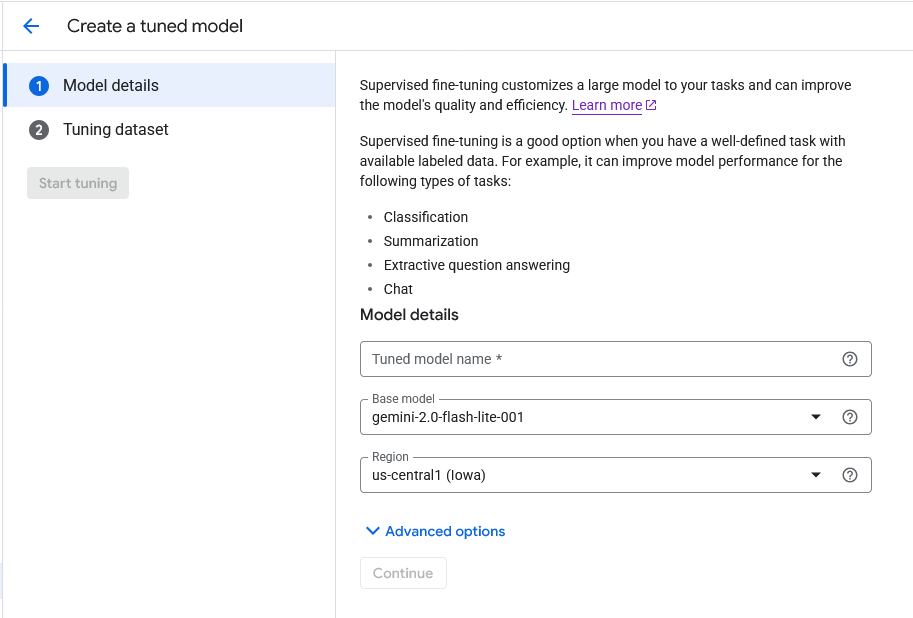
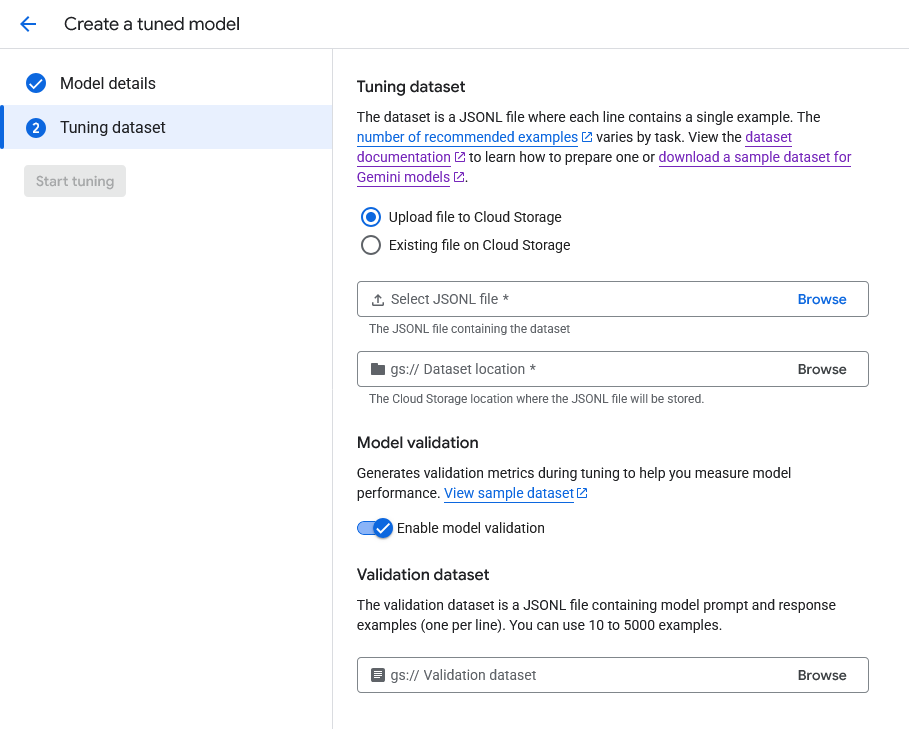
In Vertex AI plaform, I use tuning job to fine-tune the model. We can specify the training data and evaluation data in the tuning job. Those datas need to be in JSONL format.
Validation methodology
For validation, we separate into two parts
- Validation During Fine-Tuning
- Post-Fine-Tuning Evaluation
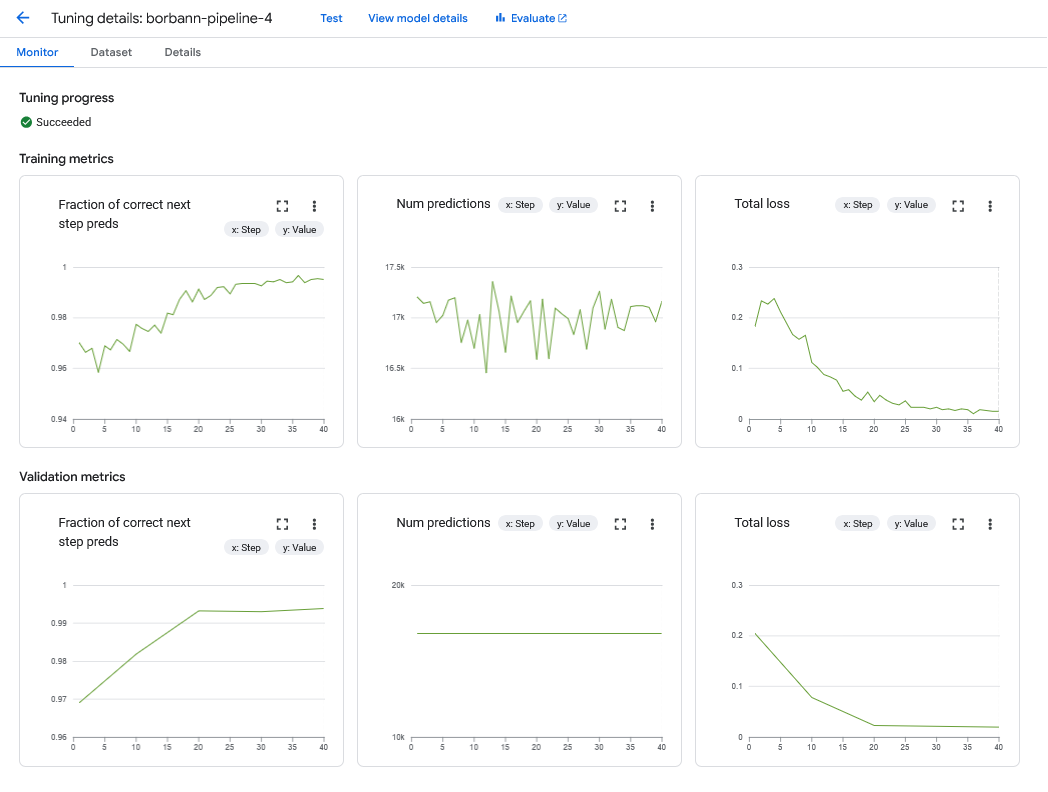
Validation During Fine-Tuning
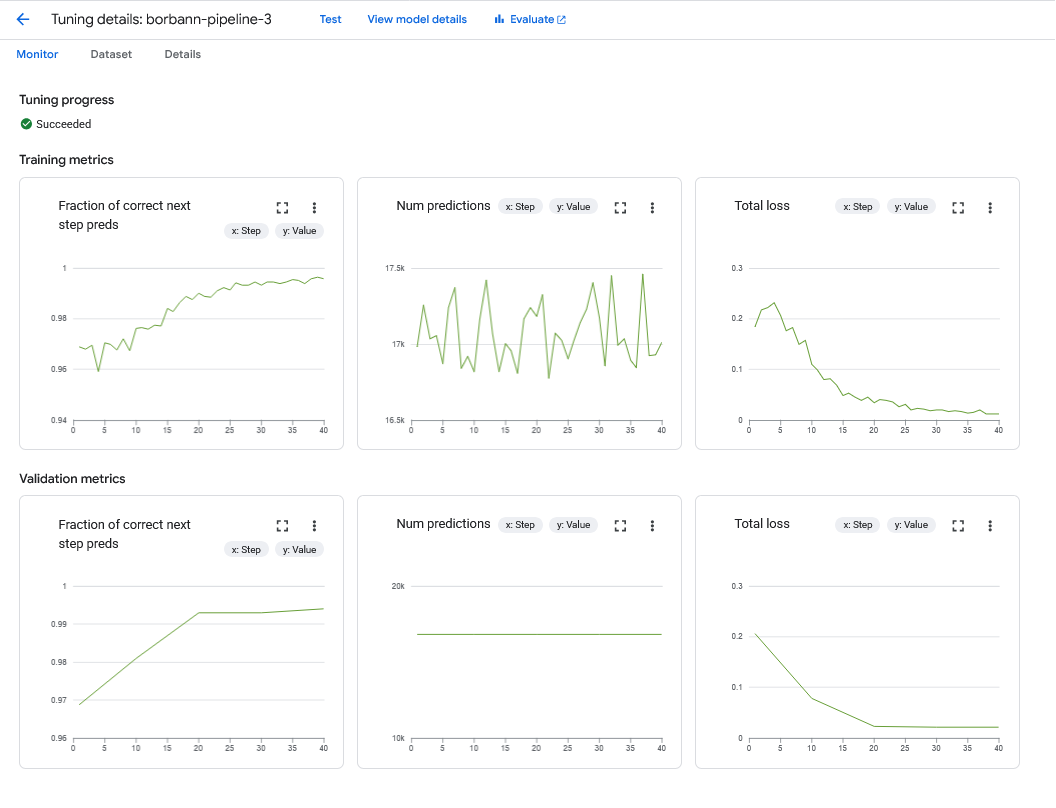
During fine-tuning, if we provide evaluation data, Vertex AI will calculate the metrics for us.
Post-Fine-Tuning Evaluation
We approach two methods
- JSON Syntactic Validity: Parse generated json string with
json.loads() - Pydantic Schema Conformance: If the generated output is valid JSON, try to instantiate on
CanonicalRecord Pydantic modelwith the parsed dictionary:CanonicalRecord(**parsed_generated_json).
To calculate the metrics, I run the following code
uv sync
gcloud auth application-default login # This is required to authenticate with my account
uv run evaluate.py
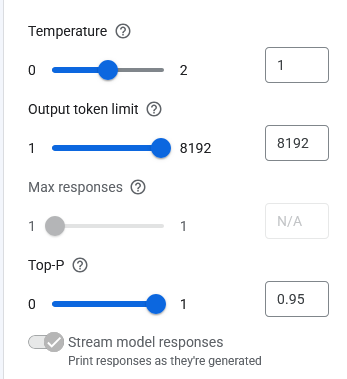
All models are evaluated on these settings.
Here are the results
# JSON Syntactic Validity:
CustomModel.BORBANN_PIPELINE_2: 91.67%
CustomModel.BORBANN_PIPELINE_3: 100.00%
CustomModel.BORBANN_PIPELINE_4: 100.00%

# Pydantic Schema Conformance (CanonicalRecord Validation Rate):
CustomModel.BORBANN_PIPELINE_2: 63.64%
CustomModel.BORBANN_PIPELINE_3: 0.00%
CustomModel.BORBANN_PIPELINE_4: 0.00%
We can see that borbann-pipeline-2 has the best performance in JSON Syntactic Validity but the worst in Pydantic Schema Conformance.
While borbann-pipeline-3 and borbann-pipeline-4 has the best performance in Pydantic Schema Conformance but the worst in JSON Syntactic Validity.
We pick borbann-pipeline-2 as the final model to deploy according to the evaluation result.
Maybe, this is because the prompt we use to fine-tune the model is not good enough to cover all the cases and provide wrong schema, when we put more data into the model, it fit with that wrong output schema.
For the numerical detail, we can see the evaluation_results.json file.
Task 1.4: Model Versioning and Experimentation
Instead of MLFlow, Vertex AI platform provide model versioning and experimentation through Colab Enterprise for us. It also provide prompt versioning to track the changes of prompt too.
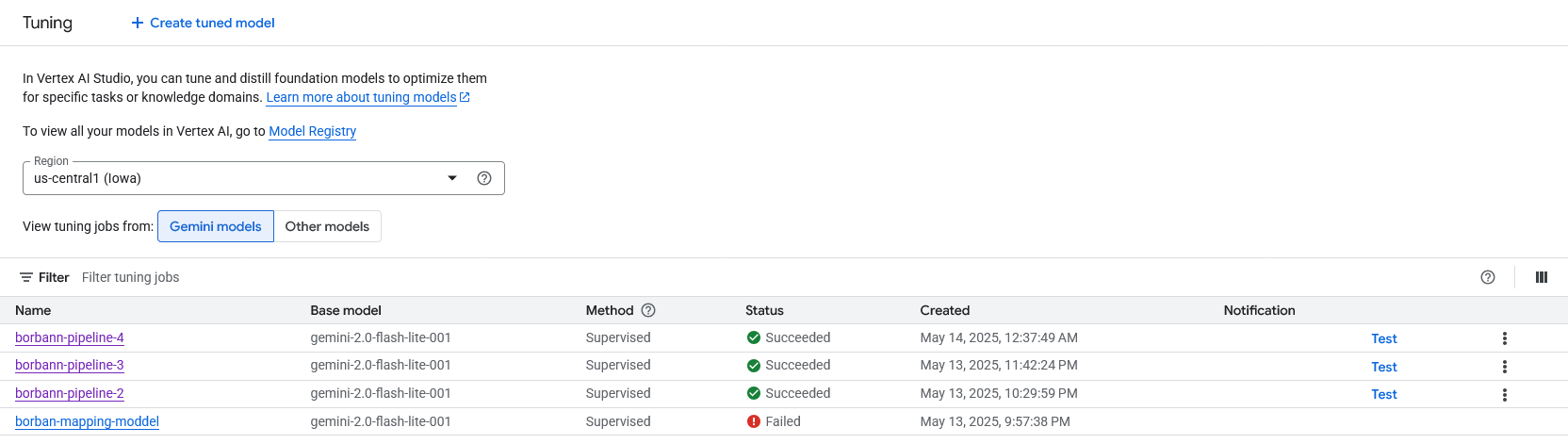
We have 3 versions of model
borbann-pipeline-2: 1 samples (2207 tokens)borbann-pipeline-3: 19 samples (33320 tokens) + evaluation samples (12 samples)borbann-pipeline-4: 25 samples (43443 tokens) + evaluation samples (12 samples)
Each version differ by the training data amount but are the same on model settings such as temperature, output max length, etc.
Task 1.5 + 1.6: Model Explainability + Prediction Reasoning
For model explainability and prediction reasoning, we follow the Traceable Prompting / Chain-of-Thought (CoT) Prompting method. In this case, I use this prompt
Explain how to generate output in a format that can be easily parsed by downstream
systems in "reasoning steps" key then output the canonical record.
To calculate the metrics, I run the following code
uv sync
uv run explainability.py
The model will explain intuitive behind its decision to us, here is a portion of it
*   **reasoning steps:** A list of dictionaries. Each dictionary represents a reasoning step. Each dictionary has keys like:
    *   **step_number:** The numerical order of the step.
    *   **description:** A natural language description of the step (e.g., "Applying rule X to deduce Y").
    *   **input:** The input to the reasoning step (e.g., facts, observations).
    *   **output:** The output of the reasoning step (e.g., new facts, conclusions).
    *   **rule:** (Optional) The rule applied in the step.
*   **canonical record:** A structured representation of the canonical information. The structure depends on the input type and the task. General considerations:
    *   **Entities:**  Represent entities with unique identifiers (UUIDs recommended). Include attributes like name, type, and other relevant details.
    *   **Relationships:**  Represent relationships between entities using predicates (e.g., "works_for," "located_in"). Include attributes like start date, end date, etc.
    *   **Events:**  Represent events with unique identifiers (UUIDs recommended). Include attributes like event type, participants (linked entities), location, time, and other relevant details.
For full output, you can see the explainability.json file.
Traceable Prompting
We add Traceable Prompting to the prompt to make the model explainable.
Task 1.7: Model Deployment as a Service
Model are deployed as a service in Vertex AI platform via GCP Compute Engine. We pick borbann-pipeline-2 as the final model to deploy according to the evaluation result.
Anyway, currently we are not using this model with the pipeline service yet, so we will demonstrate it manually.
Section 2: UI-Model Interface
Task 2.1 UI design
This AI component is not directly show up on UI, it is automated process to map data of pipeline service to canonical record. Anyway, I will show the UI of pipeline service to show the data that we use to map to canonical record.
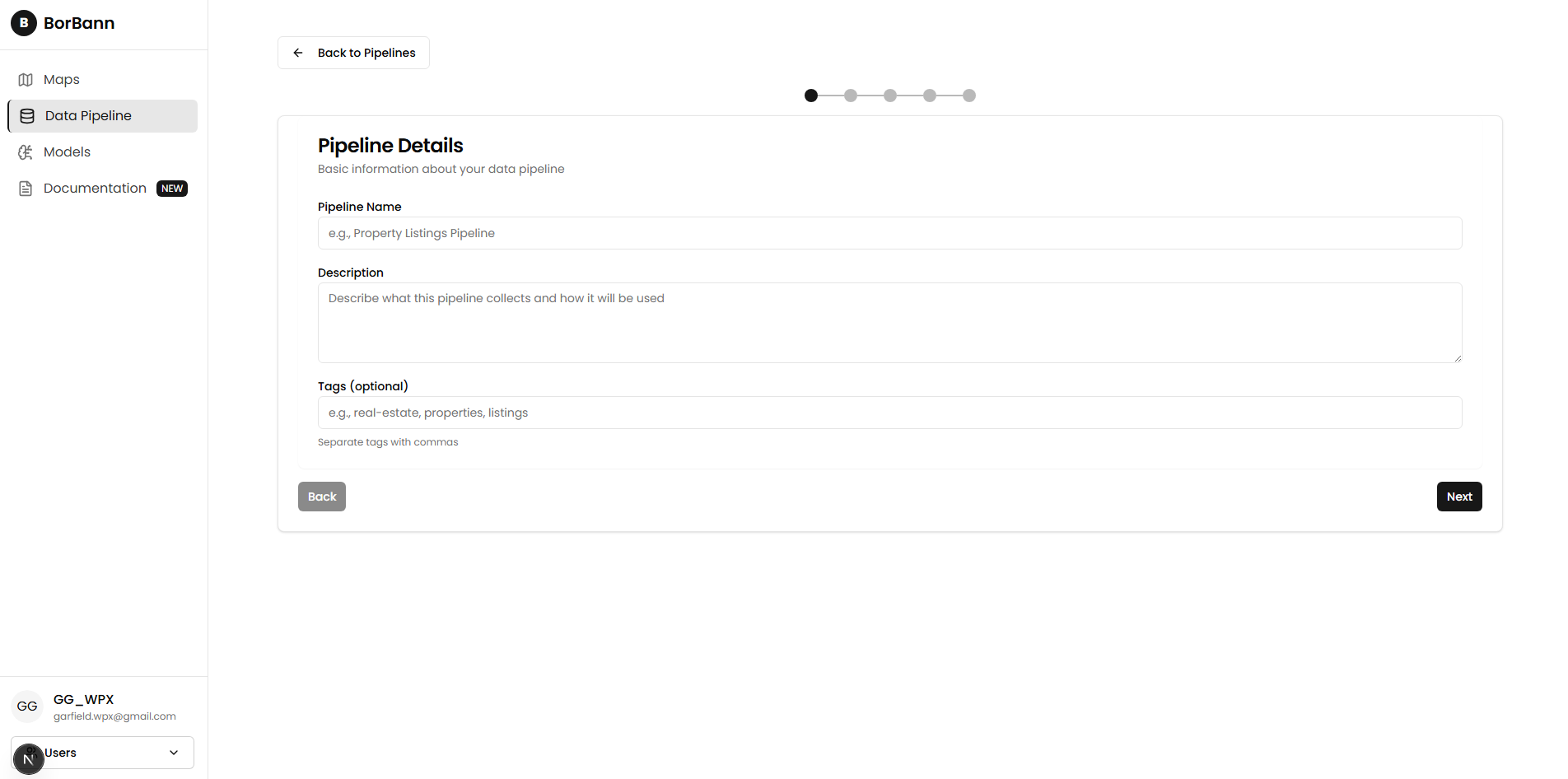
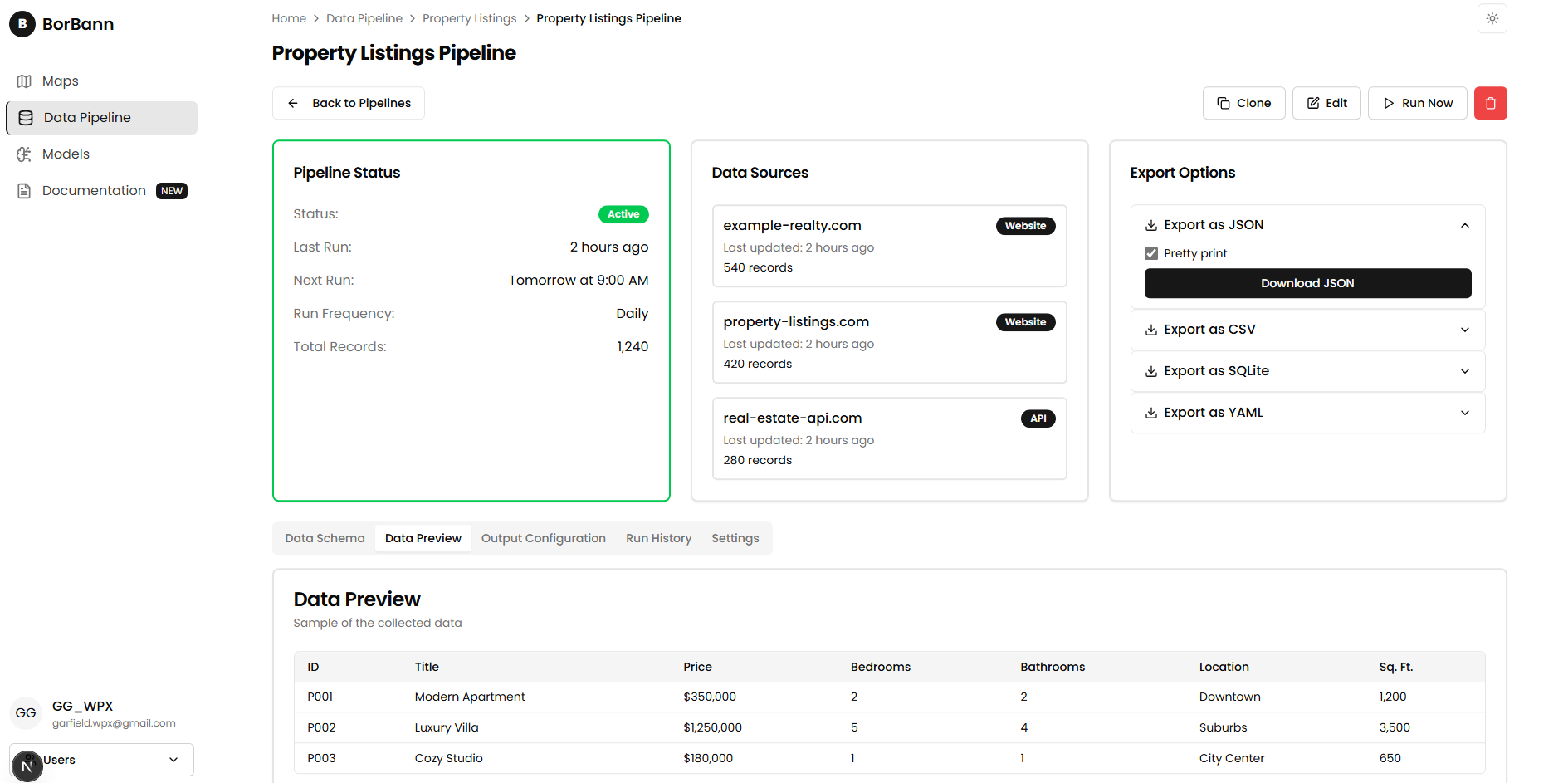
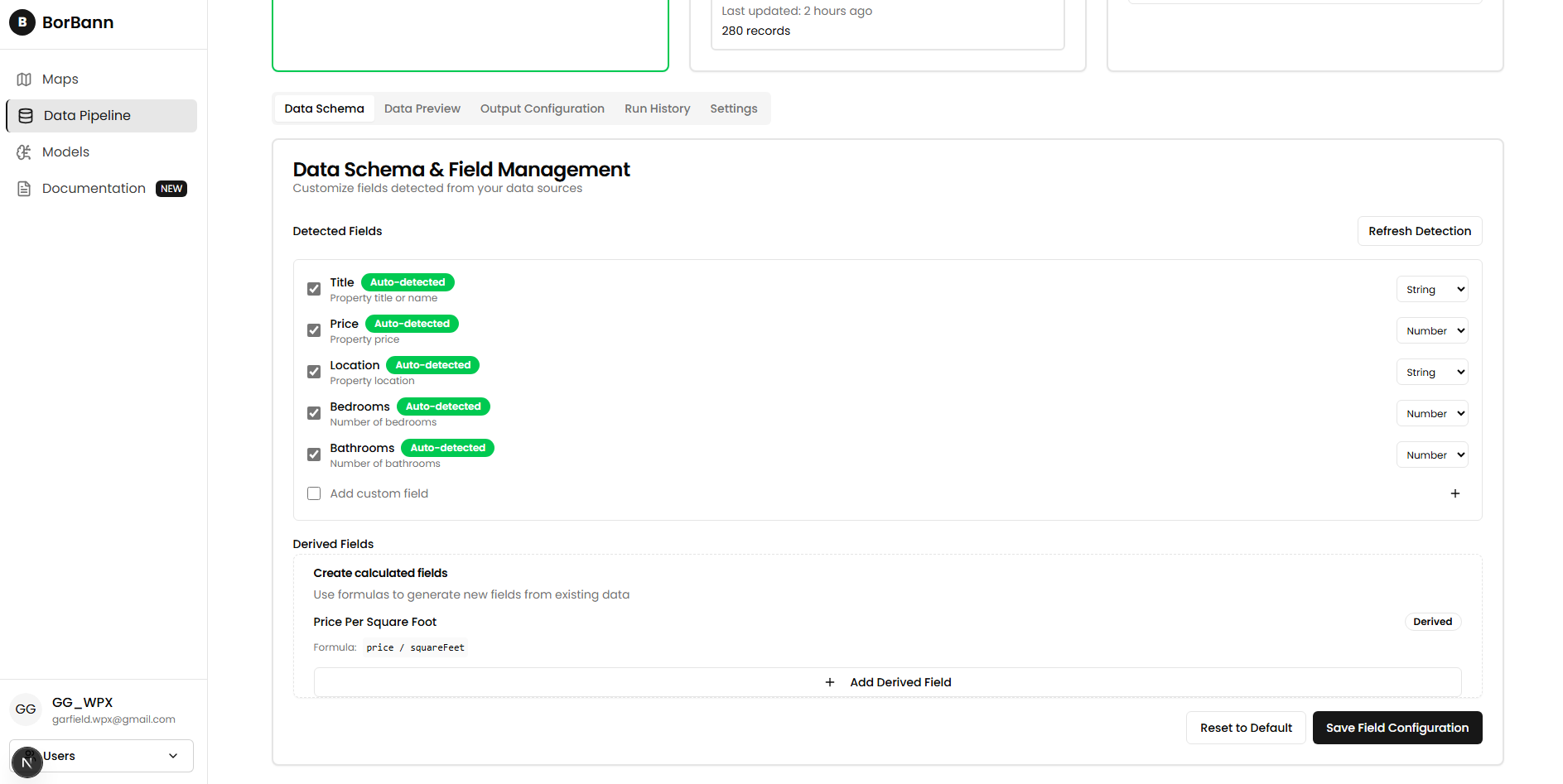
We don't have any UI to gain feedback from user at this time, but we plan to add it in the future.
Task 2.2: Demonstration
Interface Testing and Implementation
Here is the successful interaction between input data with vary sources (api, file, scraped) to unified canonical record.
Challenges
- Prompt is not dynamically change based on pydantic model.
- We found out that we can embeded the pydantic schema into prompt directly so it can update automatically when we change the pydantic model.